You’re excited about Copilot and can’t wait to give all your staff their own AI assistants. But there are several important steps you should take to ensure your organisation is ready for Copilot. Don’t worry, Resolve is here to help you, every step of the way.
As you already know, keeping your company’s data secure is essential. Taking proactive steps to protect that data becomes even more important as you begin integrating Microsoft Copilot into your business processes. An extremely powerful feature of Copilot is its ability to use company data which means instead of looking it up, you can simply ask in Copilot chat a question about it, or even ask it to write a report, email or build a Power Point Presentation. However, if a user has the wrong permissions, they might be able to access HR files they shouldn’t or get private information from other’s emails.
We don’t mean to scare you. If set up correctly, your data is safe.
Let’s walk through each step to ensure a smooth and secure deployment.
Steps to take
- Migration to Microsoft 365
- Adjusting sharing settings
- Ensure Copilot can access the right data
- Manage guest access and external sharing policies
- Conduct a SharePoint permissions audit
- Train your staff
- Appoint AI champions
- Implement Resolve Cyber Security
1. Migration to Microsoft 365
Before you begin your Copilot journey, it’s crucial to move all your business’s data to Microsoft 365, specifically your SharePoint and OneDrive.
While Copilot can technically access data stored on servers, the process can become confusing and inconsistent. By moving your data to the Microsoft Cloud, you give Copilot a clear and reliable path to navigate and retrieve information.
The migration process is just transferring files, folders, and emails into SharePoint and OneDrive. This centralises your data, making it easier to manage and access. Cloud storage also enhances security, helping safeguard against potential breaches or data loss.
2. Adjusting Sharing Settings
One often overlooked aspect of data security is the default sharing settings within your organisation’s Microsoft 365 environment. By default, many systems allow broad access to shared files and folders, which can unintentionally expose sensitive information.
Copilot uses the data a user has access to. If someone has the wrong permissions, they might be able to ask how much everyone in the company earns or why someone has been off sick.
To reduce this risk, change the default sharing link type to “specific people.” This ensures that only approved individuals can access shared content. It minimises the chances of accidental data exposure and brings your data sharing practices in line with industry best practice.
3. Ensure Copilot can access the right data
While tightening sharing settings is essential, there are times Copilot also needs permission to access your files and data.
Copilot is a powerful tool and can help with a wide variety of tasks using the data it has access to. For instance, you might want to use it to:
- answer questions about your business
- write summaries of files or data
- generate reports using company data
- retrieve organisational knowledge
Copilot only has access to the data your users have access to.
The goal is not to open everything up, it is to ensure the right people have access to the right data, so Copilot can work effectively and securely.
To do this, ensure all private data is in separate files. For example, place all finance data in a finance folder and only give the finance team access. You probably already do this, but it is vital to ensure the permissions are correct.
4. Manage guest access and external sharing policies
Copilot works with the permissions that are already set up. If external access has been given, these external sources can now easily ask for specific data without trawling through folders like in pre AI assistant times. Additionally, it can be a major source of data leakage, if not managed correctly.
Whilst this is a big risk, by following the steps below, it can be minimised.
To strengthen your security:
- review and update your external sharing policies
- expire old guest access automatically
- limit the duration and scope of shared links
- remove unnecessary guest accounts
This helps to make sure only authorised external users can access your data and only for as long as needed.
5. Conduct a SharePoint permissions audit
As we have mentioned already, Copilot works within the permissions you are already have set up. It is great practise to keep these permissions up to date, and do regular audits, but we know this sometimes gets forgotten.
Now Copilot users can access data without having to trawl through files. A silly prompt like, ‘What do you know about Dave?’, could result in personal information being shared far more readily with Copilot.
This is why it is really important to take a detailed look at who has access to what. This is now essential for maintaining data security. A SharePoint permissions audit helps you identify:
- outdated access
- incorrect group memberships
- overly broad permissions
- forgotten one off access granted months or years ago
You don’t want someone stumbling across information they shouldn’t see because a permission was never removed.
During an audit, evaluate:
- default user permissions
- individual user permissions
- group memberships
- document level access controls
An IT support company, like Resolve can help you with this.
By ensuring that permissions are aligned with organisational roles and responsibilities, you mitigate the risk of unauthorised data access or leakage. Regular audits help maintain data integrity and reinforce your security protocols. This is especially important when Copilot is being used, because it makes data more accessable.
6. Train your staff
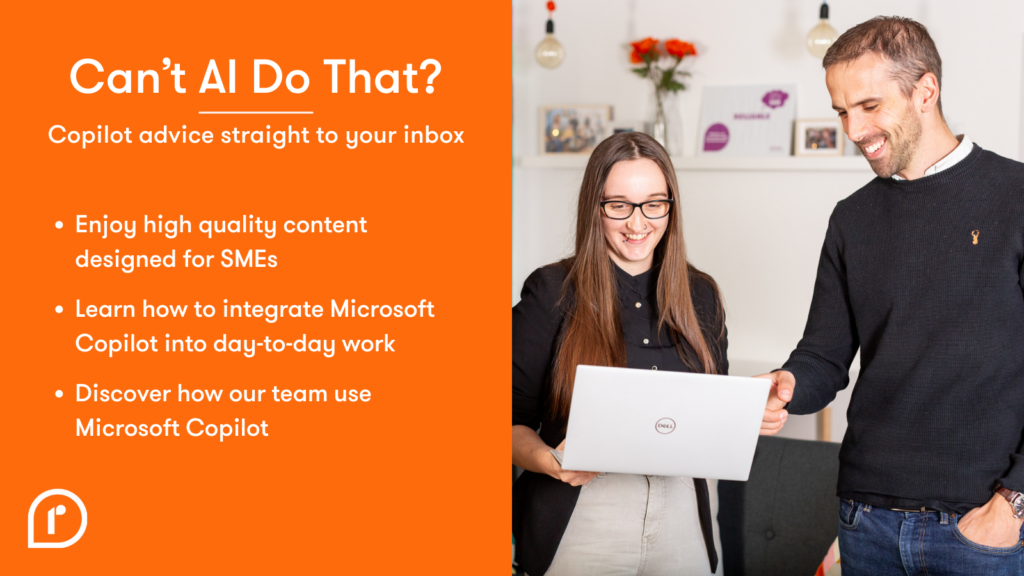
The abilities and features of Copilot are always evolving. To help keep everyone up to date, we offer a bi-monthly Copilot newsletter called Can’t AI Do That? sign up here, which provides tips and tricks.
Using AI requires some adjustments on how people think about tasks. It isn’t just a case of switching it on. People need to learn how to integrate it into their work.
We also offer:
- webinars open to everyone
- bookable training sessions
- demonstrations
- the Copilot Skills Accelerator, a modular programme designed to build lasting Copilot capability through four live training sessions
Training ensures your team gets the most out of Copilot. They’ll learn its capabilities and how to use it safely too.
7. Appoint AI Champions
Once you have some trained staff, we recommend selecting AI Champions from each department. These champions share what they’ve learned about Copilot weekly. They discuss how their teams are using and benefiting from Copilot.
This encourages collaboration, spreads knowledge and accelerates adoption across your organisation. We’ve seen fantastic results from this strategy.
8. Implement Resolve Cyber Security
Proactive measures are essential for protecting sensitive data. Resolve Cyber Security (RCS) provides a strong security foundation tailored for small businesses, offering robust device and identity protection.
With RCS:
- your data is classified and labelled
- access permissions are enforced based on organisational policies
- sensitive data is restricted to authorised users
- you gain an additional layer of protection against threats
RCS acts as a final defence to minimise the risk of data compromise. Which is important whether you are using Copilot or not. By implimenting cyber security you get help with other aspects of Copilot readyness mentioned in this post, such as Resolve experts looking at your access permissions.
Conclusion
Whatever your approach to implementing AI within your organisation, it is essential to prioritise data security. By following these steps, you create a solid foundation for a secure and successful deployment. From migrating data to implementing advanced security measures, each step helps safeguard your organisation’s valuable information.
Resolve is a trusted expert partner that has supported many businesses in successfully adopting Copilot. By guiding organisations through a smooth and secure implementation, Resolve helps them unlock the full benefits: reducing repetitive tasks, making work more enjoyable, and freeing up staff to focus on higher‑value activities without added risk.
Give us a call if you would like to try a Copilot or demo or have further questions.
Sign up to our Can’t AI Do That? mailing list